实操 项目启动
准备工作
在项目根目录运行
mvn clean compile
编译一下项目是否有错误
在微服务架构中,damai-server 下的各个业务服务(如 damai-order-service)通常会依赖于父工程中的通用模块(如 damai-common)或基础架构组件(如 damai-redis-tool-framework)。
mvn clean compile做了什么:
-
编译与依赖解析:当你执行
compile时,Maven 会扫描整个父工程(damai_pro)的pom.xml。它不仅会编译代码,还会解析模块之间的依赖关系。如果damai-order-service依赖了damai-common,Maven 会先编译damai-common,确保其.class文件可被引用。 -
本地安装(install)的补充:严格来说,
compile只是编译。在多模块项目中,更标准的做法是执行mvn clean install。install命令会将编译好的 jar 包安装到你本地的 Maven 仓库(.m2/repository)。- 这样,当各个微服务启动时,它们去本地仓库找依赖就能找到了。
- 如果你只是在 IDEA 里跑,IDEA 足够智能,通常能直接识别项目源码依赖;但如果你是用命令行跑 jar 包,必须先
install。
-
最佳实践:为了保险起见,防止以后出现莫名其妙的依赖问题,建议在项目根目录下执行一次:
mvn clean install -DskipTests(加上
-DskipTests是为了跳过单元测试,加快构建速度)。这能确保所有公共组件(Frameworks, Common, Client)都被正确打包并安装到了本地仓库,供所有微服务稳定调用。
第一阶段:初始化数据库
在启动 Java 代码前,必须先把表结构和基础数据导入到 MySQL 中。
-
找到 SQL 文件: 在项目代码目录中,找到
sql/cloud文件夹。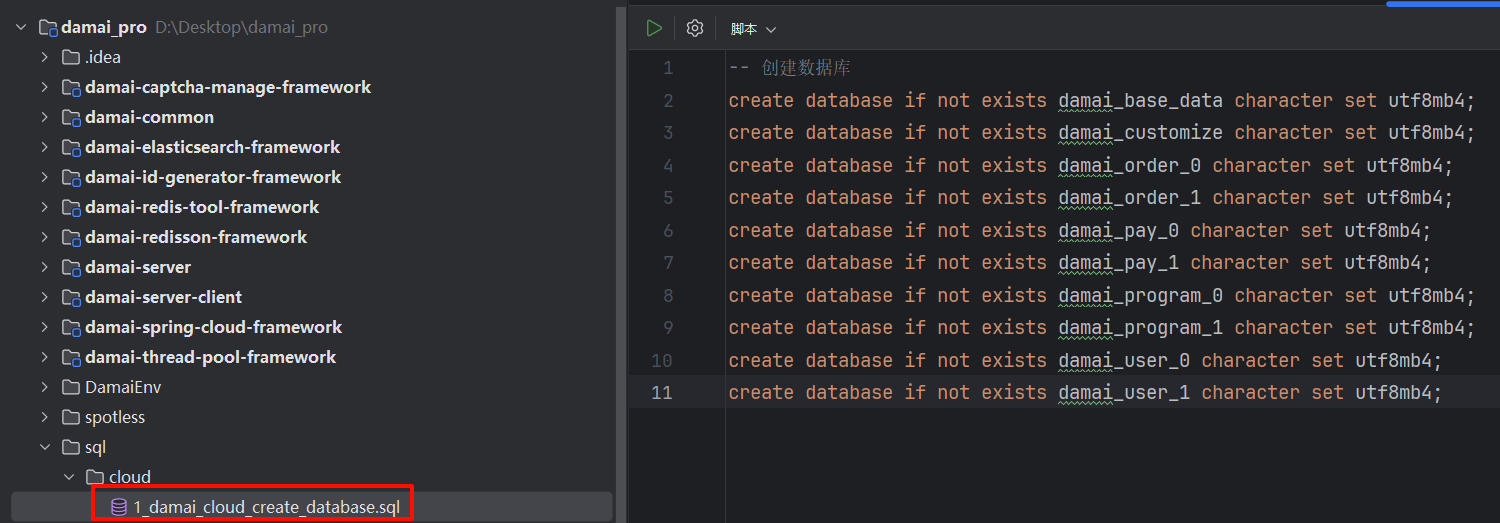
-
执行顺序(请严格遵守):
-
第 1 步:在 Navicat/IDEA 数据库工具中,先执行
1_damai_cloud_create_database.sql。作用:创建
damai_order_0,damai_user_0等所有分库分表所需的数据库。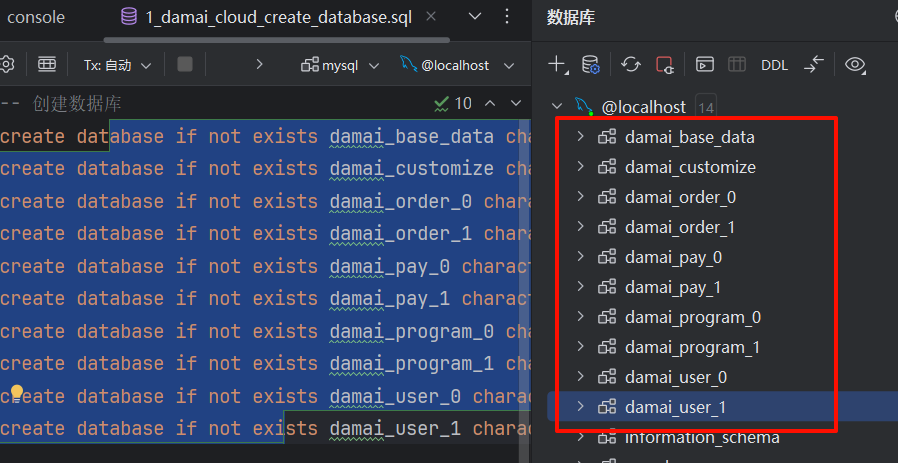
-
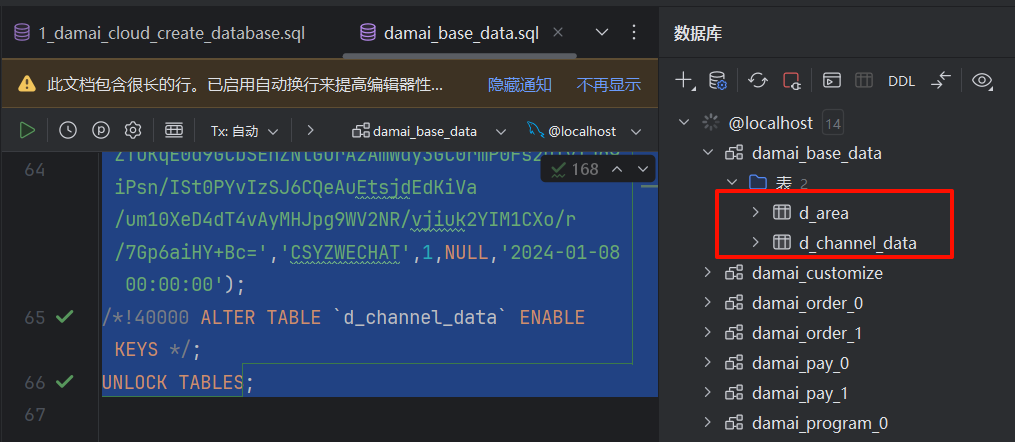
第 2 步:执行该文件夹下剩余的所有 .sql 文件(如
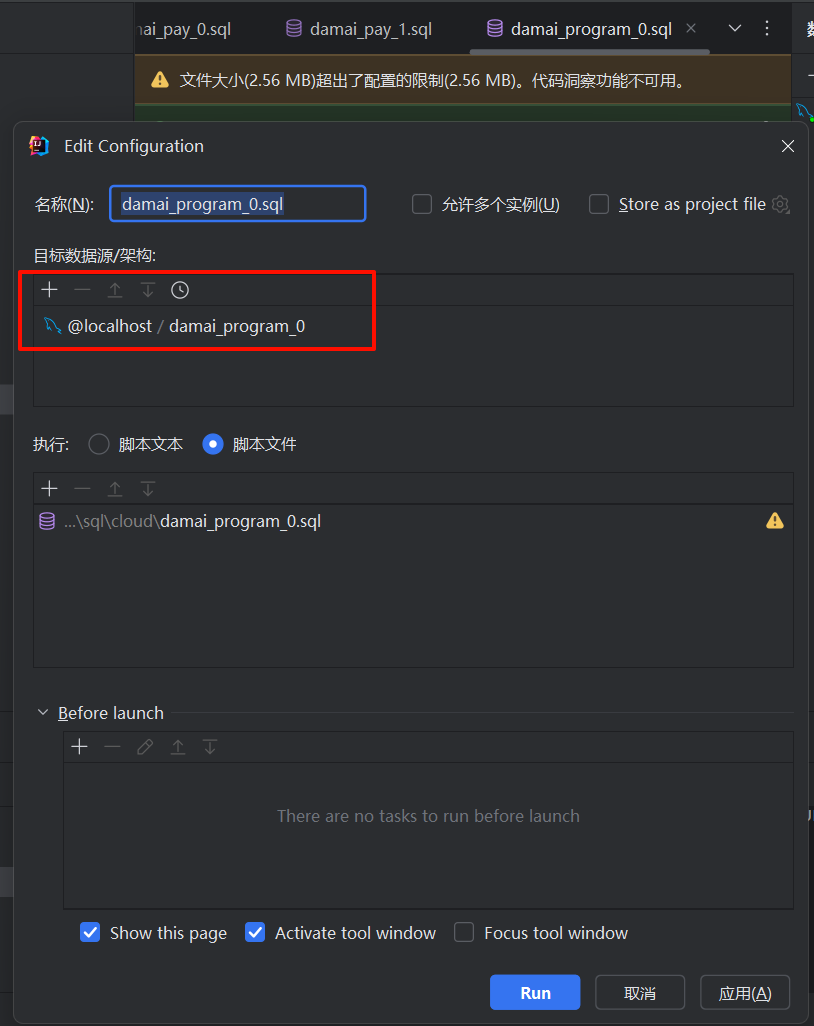
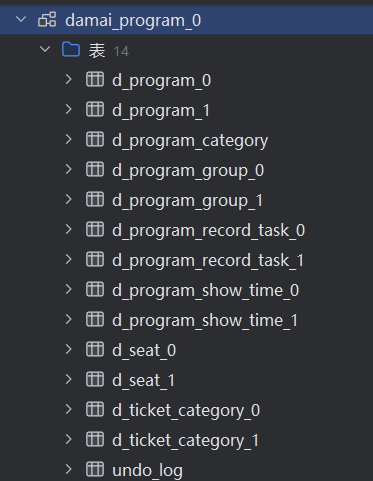
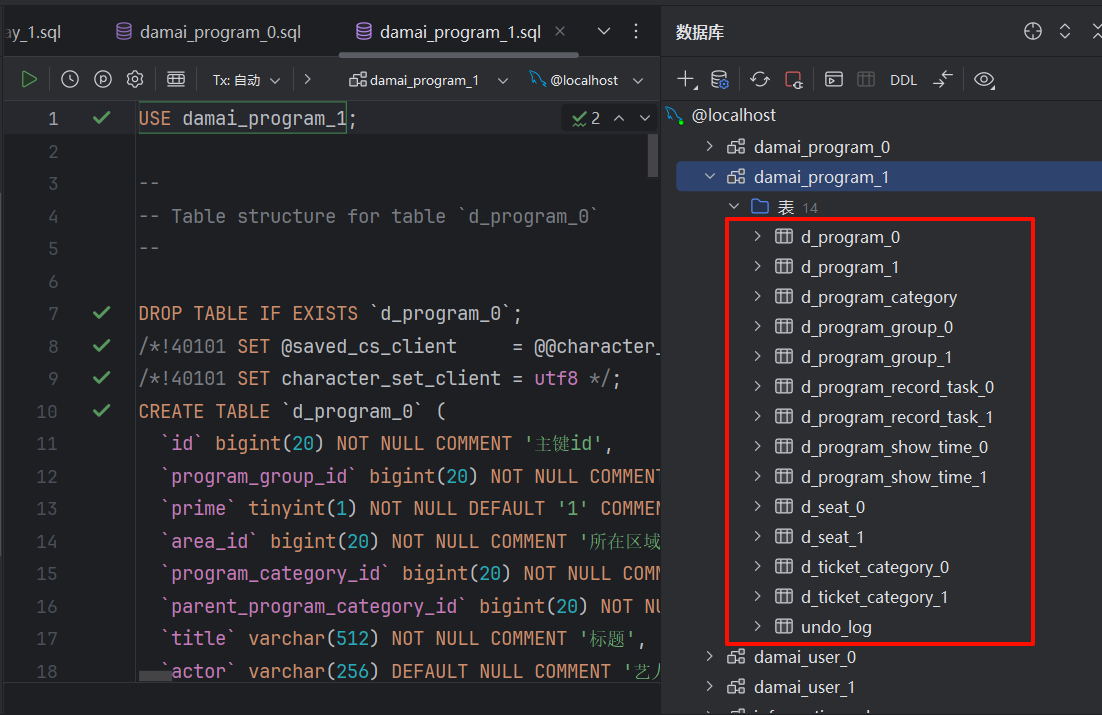
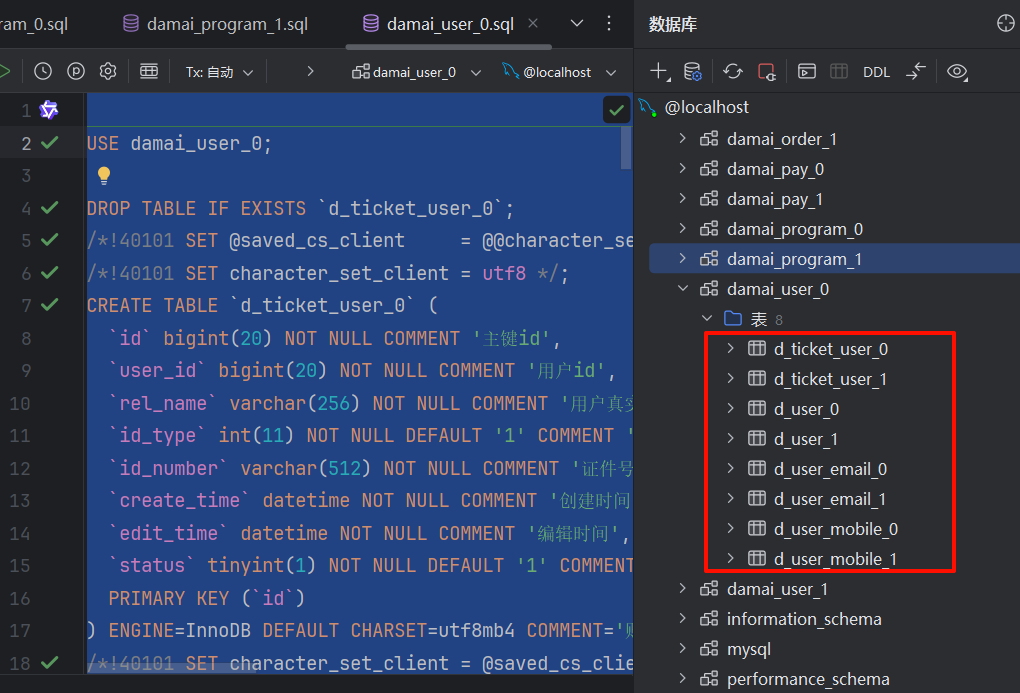
damai_base_data.sql,damai_pay_0.sql等)。顺序不限,但必须全部执行完。如果报错,请检查是否对应的数据库已在第1步创建成功。
damai_customize.sql因为编码不兼容问题 需要修改成下面的内容:USE damai_customize; DROP TABLE IF EXISTS `d_api_data`; /*!40101 SET @saved_cs_client = @@character_set_client */; /*!40101 SET character_set_client = utf8 */; CREATE TABLE `d_api_data` ( `id` bigint(20) NOT NULL COMMENT '主键id', `head_version` varchar(32) DEFAULT NULL COMMENT '请求版本', `api_address` varchar(32) DEFAULT NULL COMMENT '客户端ip', `api_method` varchar(32) DEFAULT NULL COMMENT '请求方法', `api_body` varchar(200) DEFAULT NULL COMMENT '请求体', `api_params` varchar(100) DEFAULT NULL COMMENT '请求参数', `api_url` varchar(100) DEFAULT NULL COMMENT '请求路径', `call_day_time` varchar(64) DEFAULT NULL COMMENT '按天维度记录请求时间', `call_hour_time` varchar(64) DEFAULT NULL COMMENT '按小时维度记录请求时间', `call_minute_time` varchar(64) DEFAULT NULL COMMENT '按分钟维度记录请求时间', `call_second_time` varchar(64) DEFAULT NULL COMMENT '按秒维度记录请求时间', `type` int(11) DEFAULT NULL COMMENT 'api规则生效类型 1一般规则 2深度规则', `status` int(11) DEFAULT '1' COMMENT '状态 1:未删除 0:删除(默认1)', `edit_time` datetime DEFAULT NULL COMMENT '编辑时间', `create_time` datetime DEFAULT NULL COMMENT '创建时间', PRIMARY KEY (`id`), KEY `idx_create_time` (`create_time`) USING BTREE, KEY `idx_api_address` (`api_address`) USING BTREE, KEY `idx_api_url` (`api_url`) USING BTREE, KEY `idx_call_day_time` (`call_day_time`) USING BTREE, KEY `idx_call_hour_time` (`call_hour_time`) USING BTREE, KEY `idx_call_minute_time` (`call_minute_time`) USING BTREE, KEY `idx_call_second_time` (`call_second_time`) USING BTREE ) ENGINE=InnoDB DEFAULT CHARSET=utf8mb4 COMMENT='api执行表'; /*!40101 SET character_set_client = @saved_cs_client */; -- -- Dumping data for table `d_api_data` -- LOCK TABLES `d_api_data` WRITE; /*!40000 ALTER TABLE `d_api_data` DISABLE KEYS */; /*!40000 ALTER TABLE `d_api_data` ENABLE KEYS */; UNLOCK TABLES; -- -- Table structure for table `d_depth_rule` -- DROP TABLE IF EXISTS `d_depth_rule`; /*!40101 SET @saved_cs_client = @@character_set_client */; /*!40101 SET character_set_client = utf8 */; CREATE TABLE `d_depth_rule` ( `id` bigint(20) NOT NULL COMMENT 'id', `start_time_window` varchar(64) NOT NULL COMMENT '[限制开始时间]', `end_time_window` varchar(64) NOT NULL COMMENT '[限制结束时间]', `stat_time` int(11) NOT NULL COMMENT '统计时间', `stat_time_type` int(11) NOT NULL COMMENT '统计时间类型 1:秒 2:分钟', `threshold` int(11) NOT NULL COMMENT '调用限制阈值', `effective_time` int(11) NOT NULL COMMENT '限制时间', `effective_time_type` int(11) NOT NULL COMMENT '限制时间类型 1:秒 2:分钟', `limit_api` text COMMENT '限制路径 逗号分割', `message` varchar(64) DEFAULT NULL COMMENT '限制访问提示语', `status` tinyint(4) DEFAULT '1' COMMENT '状态标识1.正常 0. 禁用 (默认1)', `edit_time` datetime DEFAULT NULL COMMENT '编辑时间', `create_time` datetime DEFAULT NULL COMMENT '创建时间', PRIMARY KEY (`id`) ) ENGINE=InnoDB DEFAULT CHARSET=utf8mb4 COMMENT='深度调用限制规则表'; /*!40101 SET character_set_client = @saved_cs_client */; -- -- Dumping data for table `d_depth_rule` -- LOCK TABLES `d_depth_rule` WRITE; /*!40000 ALTER TABLE `d_depth_rule` DISABLE KEYS */; /*!40000 ALTER TABLE `d_depth_rule` ENABLE KEYS */; UNLOCK TABLES; -- -- Table structure for table `d_rule` -- DROP TABLE IF EXISTS `d_rule`; /*!40101 SET @saved_cs_client = @@character_set_client */; /*!40101 SET character_set_client = utf8 */; CREATE TABLE `d_rule` ( `id` bigint(20) NOT NULL COMMENT 'id', `stat_time` int(11) NOT NULL COMMENT '统计时间', `stat_time_type` int(11) NOT NULL COMMENT '统计时间类型 1:秒 2:分钟', `threshold` int(11) NOT NULL COMMENT '调用限制阈值', `effective_time` int(11) NOT NULL COMMENT '限制时间', `effective_time_type` int(11) NOT NULL COMMENT '限制时间类型 1:秒 2:分钟', `limit_api` text COMMENT '限制路径 逗号分割', `message` varchar(64) DEFAULT NULL COMMENT '限制访问提示语', `status` tinyint(4) DEFAULT '1' COMMENT '状态标识1.正常 0. 禁用 (默认1)', `edit_time` datetime DEFAULT NULL COMMENT '编辑时间', `create_time` datetime DEFAULT NULL COMMENT '创建时间', PRIMARY KEY (`id`) ) ENGINE=InnoDB DEFAULT CHARSET=utf8mb4 COMMENT='调用限制规则表'; /*!40101 SET character_set_client = @saved_cs_client */; -- -- Dumping data for table `d_rule` -- LOCK TABLES `d_rule` WRITE; /*!40000 ALTER TABLE `d_rule` DISABLE KEYS */; /*!40000 ALTER TABLE `d_rule` ENABLE KEYS */; UNLOCK TABLES; CREATE TABLE `d_message_consumer_record` ( `id` bigint NOT NULL, `message_type` int NOT NULL COMMENT '消息类型,详见MessageType枚举', `message_trace_id` bigint DEFAULT NULL COMMENT '消息的链路id', `message_businesses_id` bigint DEFAULT NULL COMMENT '消息业务id', `message_id` bigint NOT NULL COMMENT '消息id', `message_topic` varchar(256) DEFAULT NULL COMMENT '消息的topic', `message_content` text COMMENT '消息内容', `message_consumer_exception` varchar(256) DEFAULT NULL COMMENT '消息消费失败的异常信息', `message_consumer_status` int DEFAULT '1' COMMENT '消息消费状态 1:未消费 -1:消费失败 2:消费成功', `message_consumer_count` int NOT NULL DEFAULT '1' COMMENT '消息的消费次数', `reconciliation_status` int DEFAULT '1' COMMENT '消息对账状态 1:未对账 -1:对账完成有问题 2:对账完成没有问题 3:对账有问题处理完毕', `consumer_time` datetime DEFAULT NULL COMMENT '消息发送时间', `status` int DEFAULT '1' COMMENT '状态 1:启用 0:禁用', `edit_time` datetime DEFAULT NULL COMMENT '编辑时间', `create_time` datetime DEFAULT NULL COMMENT '创建时间', PRIMARY KEY (`id`), KEY `d_message_producer_record_message_businesses_id_IDX` (`message_businesses_id`) USING BTREE, KEY `d_message_consumer_record_message_trace_id_IDX` (`message_trace_id`) USING BTREE, KEY `d_message_consumer_record_message_id_IDX` (`message_id`) USING BTREE, KEY `d_message_consumer_record_consumer_time_IDX` (`consumer_time`) USING BTREE ) ENGINE=InnoDB DEFAULT CHARSET=utf8mb4 COLLATE=utf8mb4_general_ci COMMENT='消息消费记录表'; CREATE TABLE `d_message_producer_record` ( `id` bigint NOT NULL, `message_type` int NOT NULL COMMENT '消息类型,详见MessageType枚举', `message_trace_id` bigint DEFAULT NULL COMMENT '消息的链路id', `message_businesses_id` bigint DEFAULT NULL COMMENT '消息业务id', `message_id` bigint NOT NULL COMMENT '消息id', `message_topic` varchar(256) DEFAULT NULL COMMENT '消息的topic', `message_content` text COMMENT '消息内容', `message_send_exception` varchar(256) DEFAULT NULL COMMENT '消息发送失败的异常信息', `message_send_status` int DEFAULT '1' COMMENT '消息发送状态 1:未发送 -1:发送失败 2:发送成功', `reconciliation_status` int DEFAULT '1' COMMENT '消息对账状态 1:未对账 -1:对账完成有问题 2:对账完成没有问题 3:对账有问题处理完毕', `send_time` datetime DEFAULT NULL COMMENT '消息发送时间', `status` int DEFAULT '1' COMMENT '状态 1:启用 0:禁用', `edit_time` datetime DEFAULT NULL COMMENT '编辑时间', `create_time` datetime DEFAULT NULL COMMENT '创建时间', PRIMARY KEY (`id`), KEY `d_message_producer_record_message_businesses_id_IDX` (`message_businesses_id`) USING BTREE, KEY `d_message_producer_record_message_trace_id_IDX` (`message_trace_id`) USING BTREE, KEY `d_message_producer_record_message_id_IDX` (`message_id`) USING BTREE, KEY `d_message_producer_record_send_time_IDX` (`send_time`) USING BTREE ) ENGINE=InnoDB DEFAULT CHARSET=utf8mb4 COLLATE=utf8mb4_general_ci COMMENT='消息发送记录表';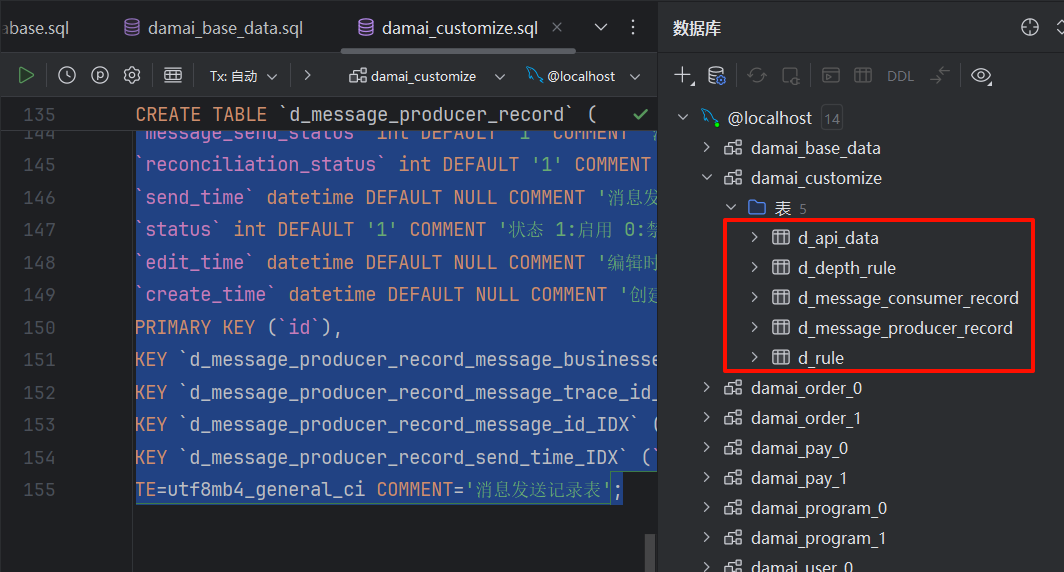
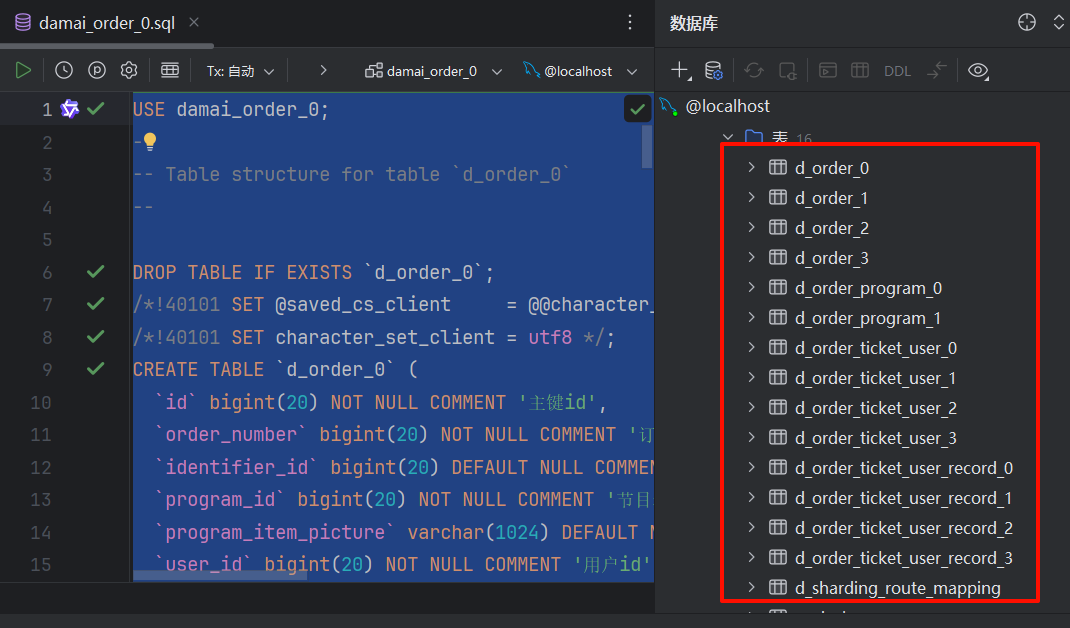
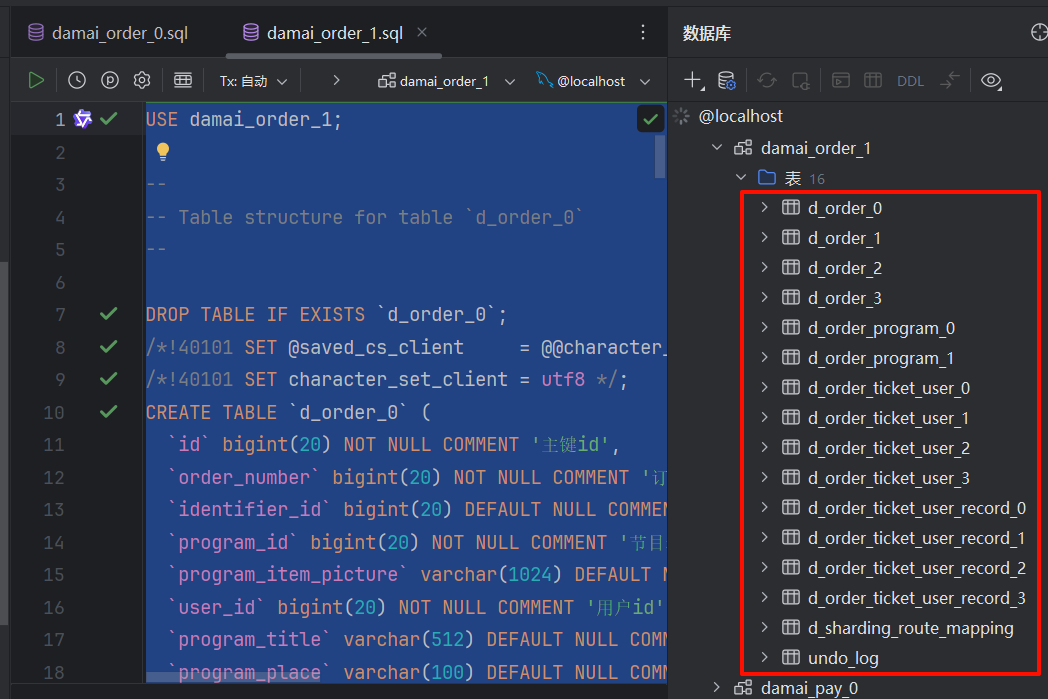
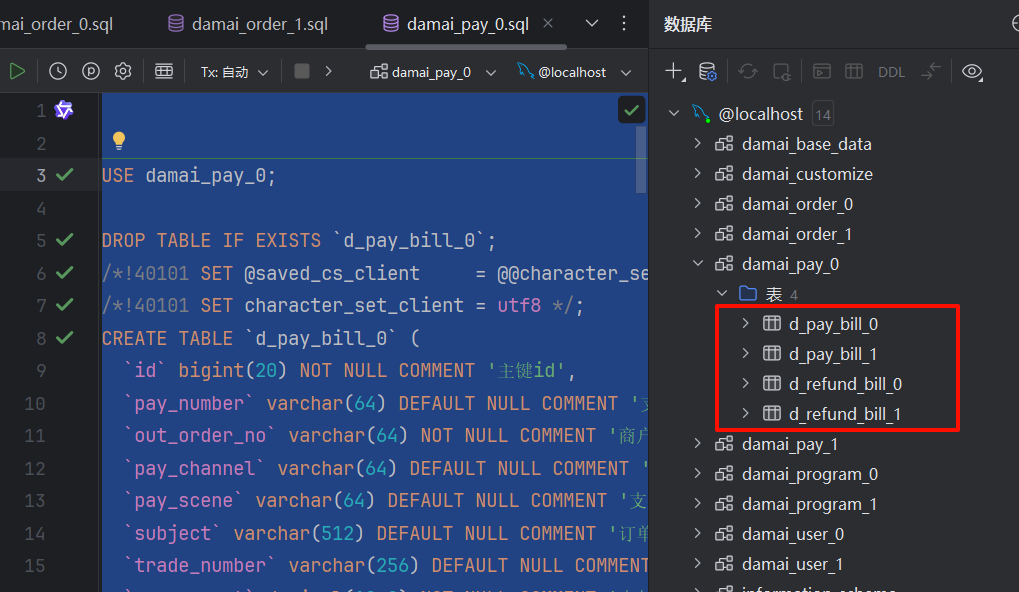
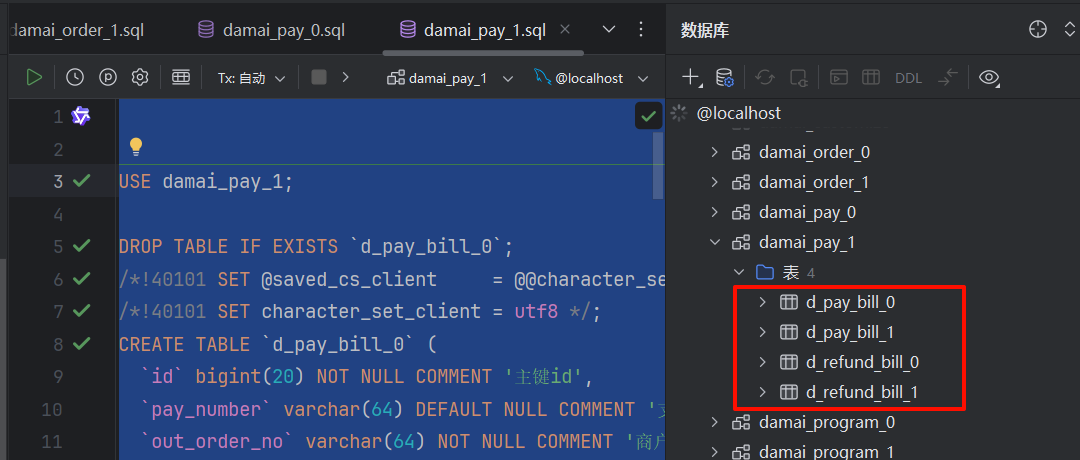
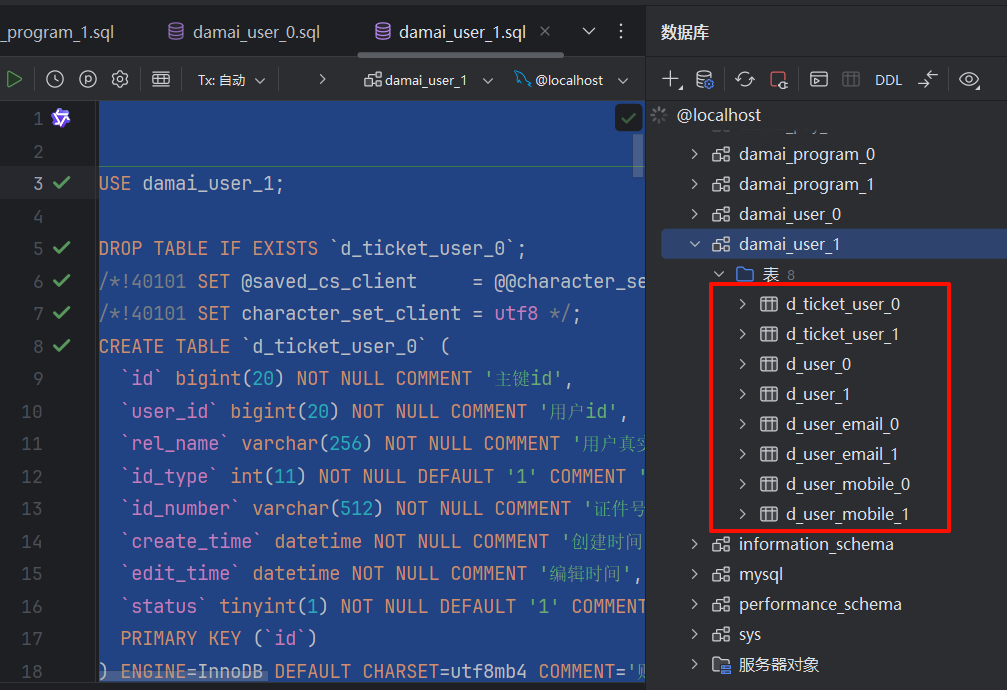
-
关于 SQL 脚本执行顺序
- 为什么要先执行
create_database.sql?- 这就好比盖房子前要先圈地。MySQL 里必须先有数据库(Database),才能在里面建表(Table)。后续的
_0.sql,_1.sql都是建表语句,如果库不存在,执行就会报错。
- 这就好比盖房子前要先圈地。MySQL 里必须先有数据库(Database),才能在里面建表(Table)。后续的
- 关于分库分表:
- 你会看到
order_0,order_1这样的文件。这是因为大麦项目使用了分库分表技术。 - 简单理解:为了应对海量数据,我们不把所有订单都放在一张表里,而是拆分到多个库(damai_order_0, damai_order_1)和多个表里。这能极大提升数据库的读写性能。
- 你会看到
第二阶段:后端启动配置 (IDEA)
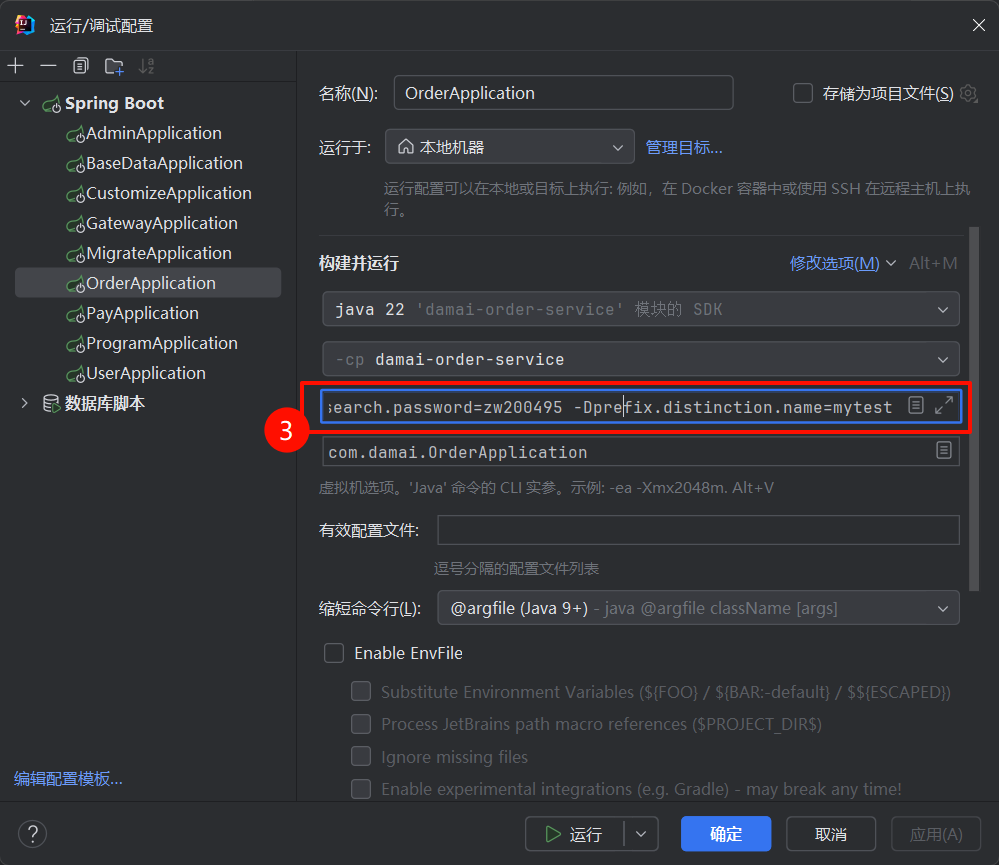
我们需要为每个微服务配置 VM Options,告诉 Java 代码去哪里找你的 Docker 中间件。
1. 统一配置 VM 参数
在 IDEA 中,对下述每一个启动类进行配置:
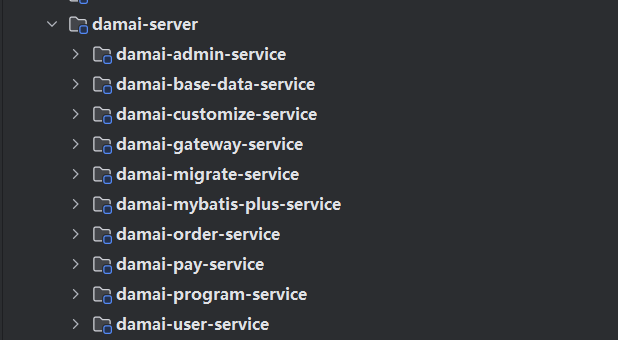
- 启动类清单:
BaseDataApplication(必须第一个启动)UserApplicationProgramApplicationOrderApplicationPayApplicationGatewayApplication(网关)- (可选)
CustomizeApplication
- 配置步骤:
-
点击 IDEA 右上角的启动配置下拉框 -> Edit Configurations。
-
选中一个服务(例如
BaseDataApplication)。 -
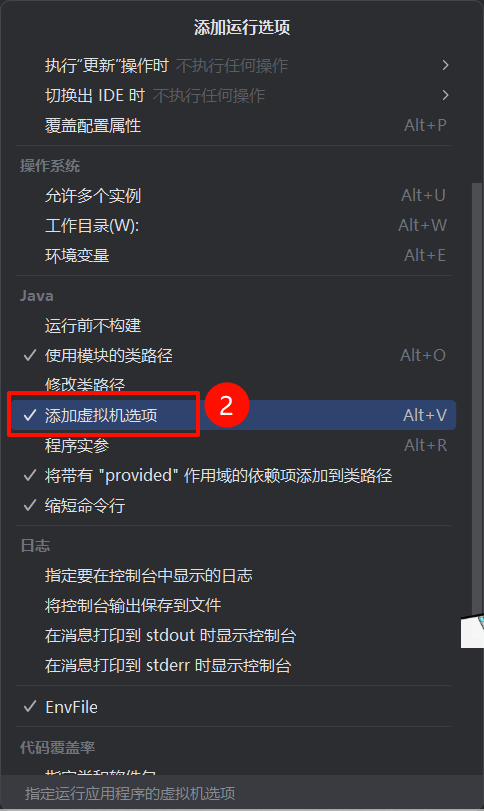
点击 Modify options -> 勾选 Add VM options。
-
复制粘贴以下内容(已根据你的环境适配):
-XX:MaxMetaspaceSize=256M
-Xmx512M
-Dspring.data.redis.host=127.0.0.1
-Dspring.data.redis.password=123
-Dspring.cloud.nacos.discovery.server-addr=127.0.0.1:8848
-Dspring.cloud.nacos.discovery.username=nacos
-Dspring.cloud.nacos.discovery.password=nacos
-Dspring.kafka.bootstrap-servers=127.0.0.1:9092
-Delasticsearch.ip=127.0.0.1:9200
-Delasticsearch.userName=elastic
-Delasticsearch.password=zw200495
-Dprefix.distinction.name=mytest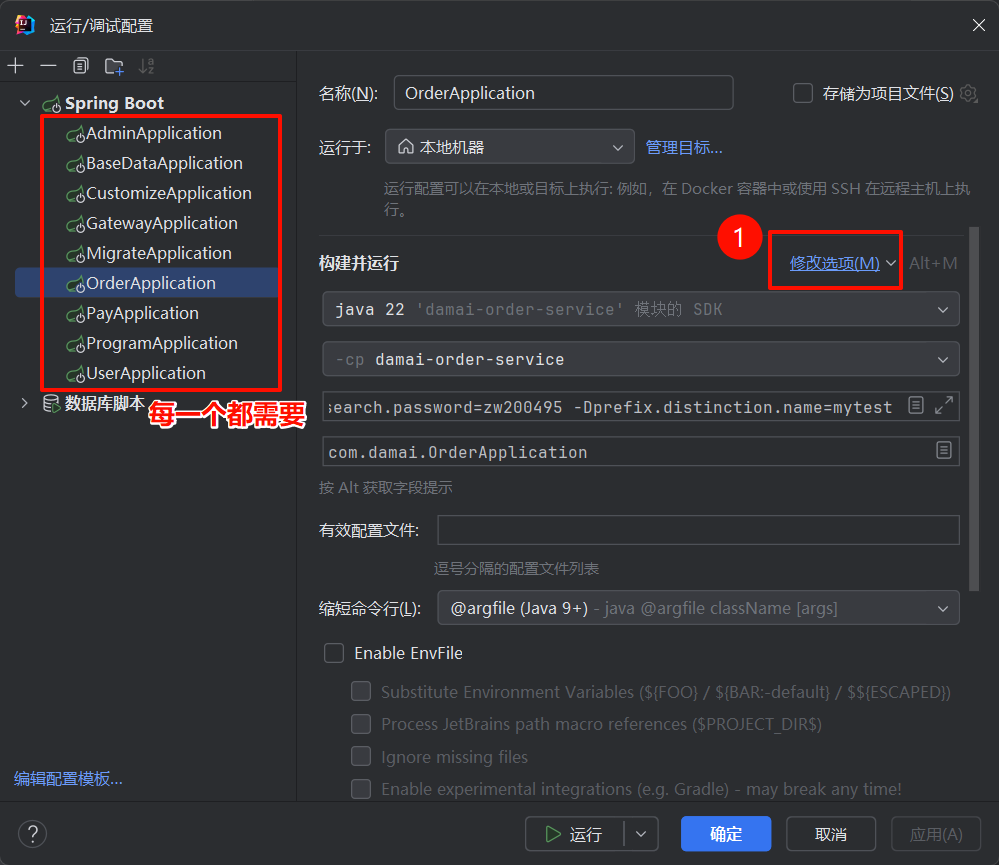
-
2. 解决 "Command line is too long" 报错
在 Edit Configurations 窗口中,找到 Shorten command line 选项(如果没有,在 Modify options 里找),选择: JAR manifest - java -cp classpath.jar
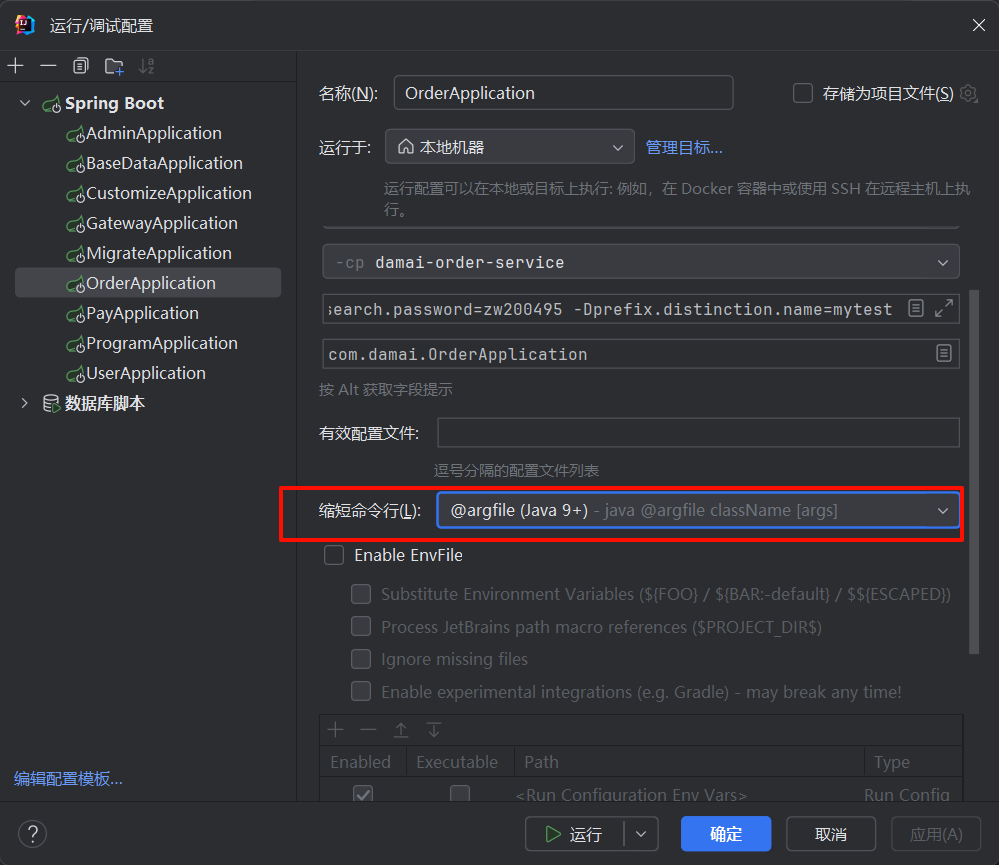
或者也可以直接启动 在后面直接运行提示
<img class="ob-img" src="/assets/image-a17e1759.png" alt="2-Learning/05-项目/08-企业级项目深读/02-damai_pro/03-项目启动/01-实操/assets/image-a17e1759" loading="lazy">
关于 VM Options 配置
- 为什么要配置这些参数?
- Spring Boot 项目通常有一个
application.yml配置文件,里面写了默认的中间件地址(通常是开发者的内网地址或变量)。 - 我们在启动时通过
-D参数传入的值,优先级高于application.yml中的默认值。 - 这样我们不需要修改代码里的配置文件,就能让代码连接到我们本地 Docker 搭建的中间件(127.0.0.1)。
- Spring Boot 项目通常有一个
prefix.distinction.name的作用:- 这是一个自定义参数,用于隔离数据。比如在 Redis 中,你的 Key可能会变成
mytest:order:123。 - 如果不改这个,万一你和同事连了同一个 Redis,你们的数据就会冲突覆盖。
- 这是一个自定义参数,用于隔离数据。比如在 Redis 中,你的 Key可能会变成
第三阶段:启动后端服务
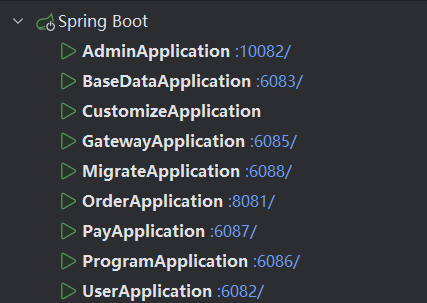
按以下顺序点击 IDEA 的绿色 Run 按钮:
- 启动
BaseDataApplication- 观察日志:如果没有报错,且看到
Started BaseDataApplication,说明基础服务成功连接到了 Nacos 和 DB。
- 观察日志:如果没有报错,且看到
- 启动其他业务服务
UserApplicationProgramApplicationOrderApplicationPayApplication
- 启动网关
GatewayApplication(端口通常是 6085)
第四阶段:启动前端 (Vue3)
-
环境准备: 确保你安装了 Node.js (建议 v16+)。
-
进入目录: 在 VS Code 或终端中打开项目下的
damai/vue3目录。 -
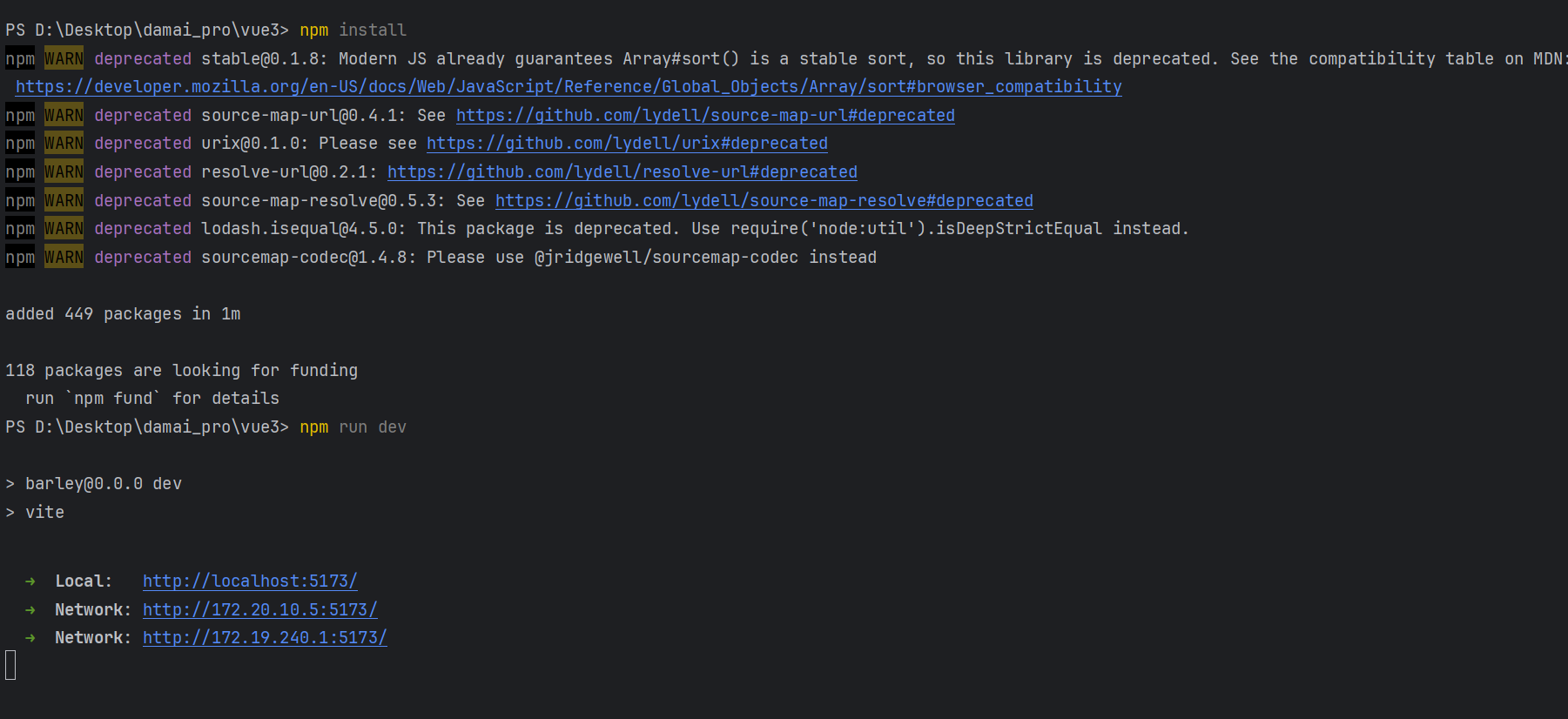
安装依赖:
npm install -
修改配置(可选,通常默认即可): 打开
.env.development文件,确认后端地址指向本地网关:VITE_APP_URL = 'http://127.0.0.1:6085' -
启动项目:
npm run dev -
访问页面: 浏览器打开终端显示的地址(通常是
http://localhost:5173/)。
关于前端配置
.env.development是什么?- 这是 Vue 项目的环境变量文件。
VITE_APP_URL指定了前端请求发送的目标地址。- 配置为
http://127.0.0.1:6085意味着前端发出的所有 API 请求都会发送给你本地启动的 Gateway 网关服务(端口 6085)。网关再根据路径转发给具体的 Order 或 User 服务。
验证全流程
-
打开前端页面,应该能看到首页的演唱会列表(数据来自
BaseData和Program服务)。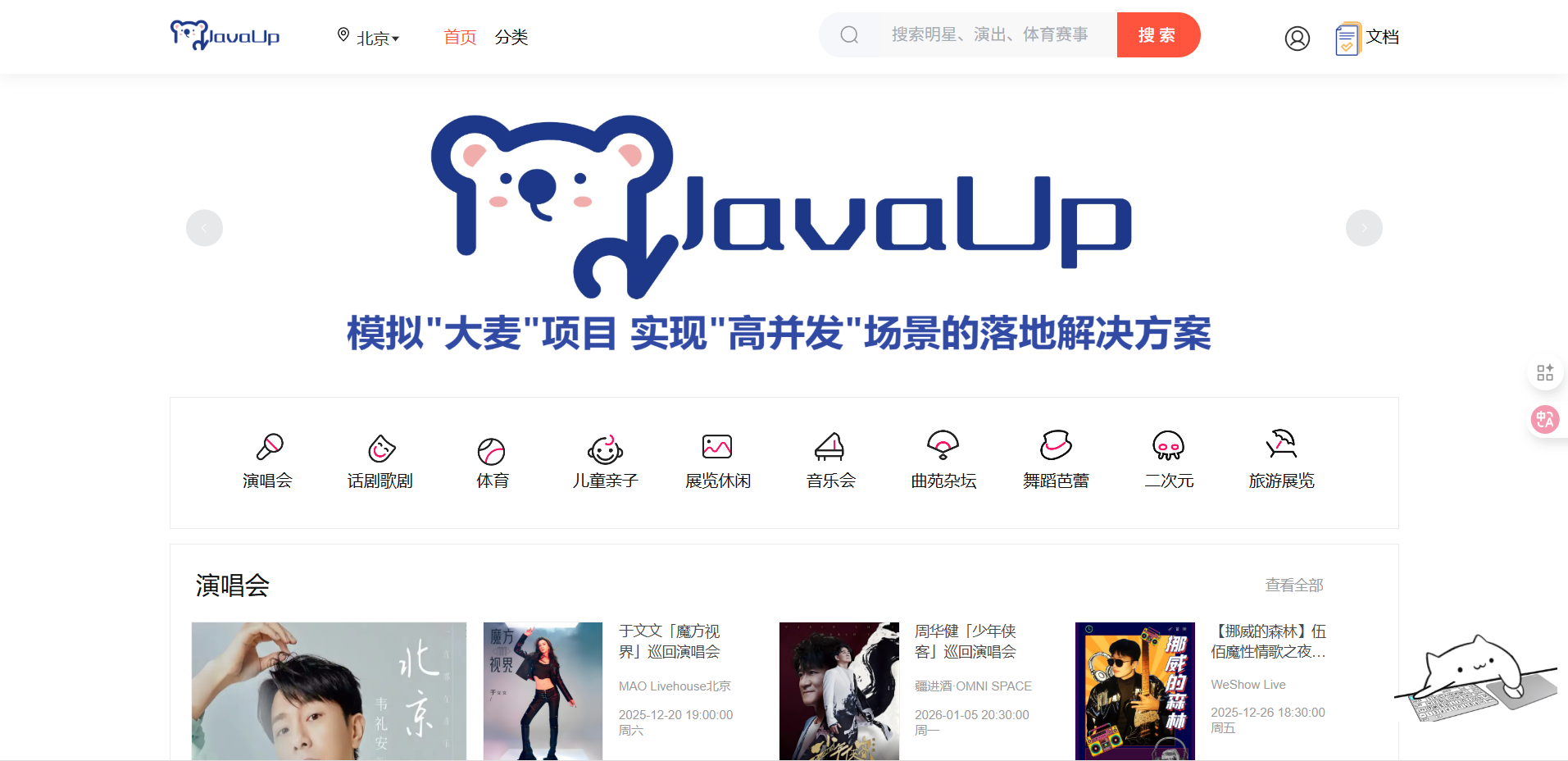
-
尝试点击 登录/注册,输入手机号和验证码(开发环境验证码通常会在后端日志打印,或者查看通用验证码配置)。
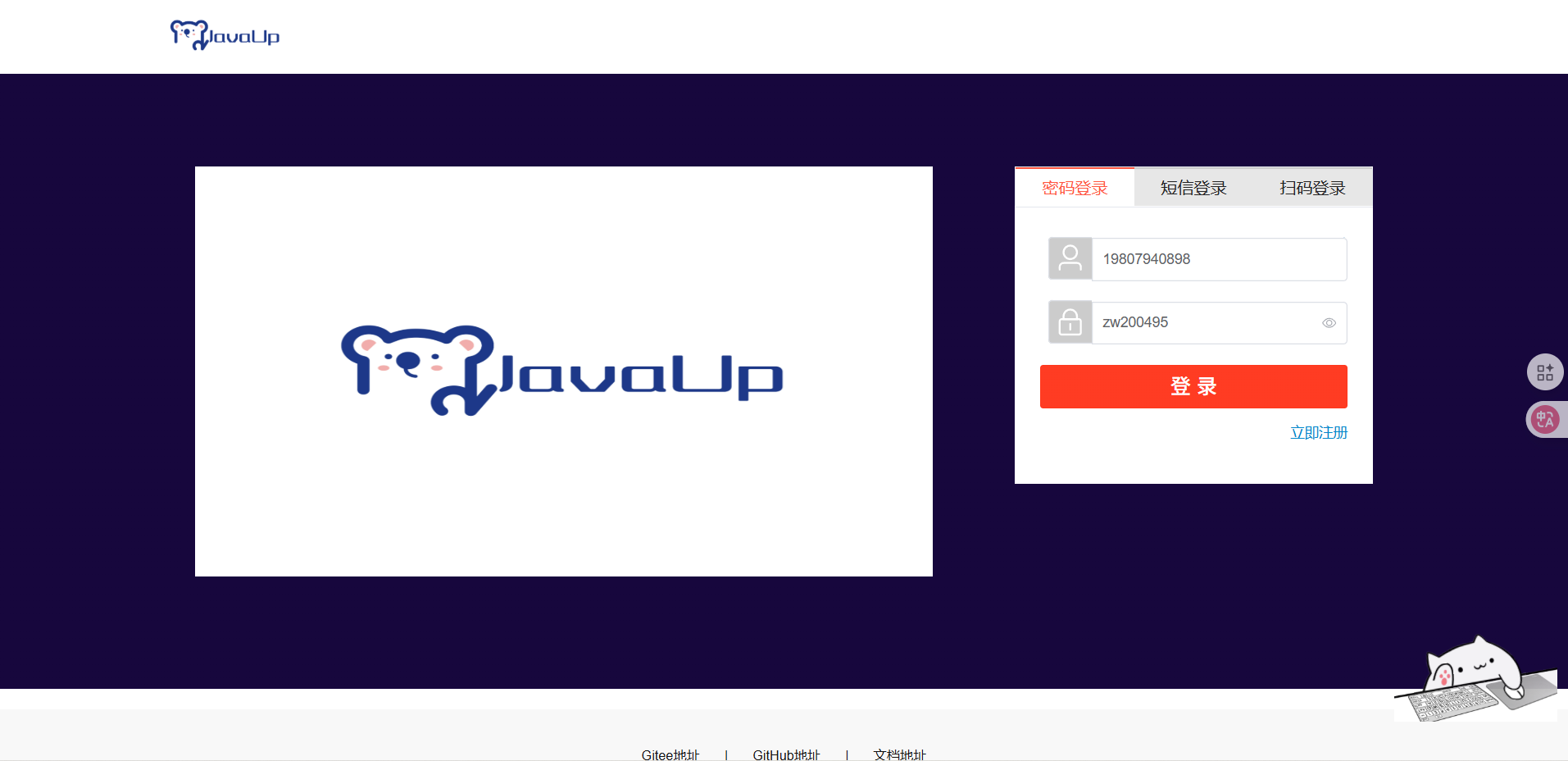
-
如果能正常显示数据,恭喜你,大麦项目已成功在你的本地跑通!
企业级项目导航:⬅️ 02-实操 本地docker配置环境 | 03-实操 项目启动 | ➡️ 04-docker-compose一键启动环境
💬 评论